As an Amazon Associate, we earn from qualifying purchases. Some links on this site are affiliate links at no extra cost to you. Our recommendations are based on thorough research and editorial judgment.


Label Maker 101: Features to Look for as a Beginner

When choosing a label maker, consider these key features—it’s like shopping for a trusty sidekick! First, look at print technology. There are thermal, inkjet, and even fancy UV options. Also, materials matter—paper is great indoors, while vinyl shines outdoors. Don’t forget connectivity options, like Bluetooth for printing on the go. Ultimately, check for pre-loaded templates and editing tools; they help avoid labeling mishaps. Excited yet? Stick around to uncover more label-making gems!
Key Takeaways
- Choose the right print technology based on your needs: thermal transfer for durability or direct thermal for simplicity and cost-effectiveness.
- Consider label materials, such as paper for indoor use or vinyl for curved surfaces, depending on your application.
- Opt for connectivity options like USB for fixed use or Bluetooth/Wi-Fi for wireless flexibility with smartphones and tablets.
- Look for memory storage capacity that supports label reprinting and customization, enhancing efficiency in label management.
- Explore editing tools that offer various fonts, alignment options, and specialty features for a polished labeling outcome.
Understanding Print Technology
When diving into the world of label makers, understanding print technology is like finding the right pair of shoes—it makes a huge difference! Different printing methods affect print speed, ink options, and even maintenance requirements.
- Thermal transfer is durable, ideal for shipping labels, but it comes with higher consumable costs.
- Direct thermal is simpler and cost-effective but not great for long-term use since prints can fade.
- Inkjet offers versatility but is pricier and less durable.
- Dot matrix is slow and outdated—like your grandma’s ancient desktop!
- UV printing is fantastic for detailed labels but requires a higher investment.
Each method serves unique industry applications, so a careful cost analysis can guide wise choices. For beginners, BPA-Free Direct Thermal Technology offers an excellent starting point, combining simplicity with safety and eliminating the need for messy inks or ribbons. Happy label making!
Choosing the Right Label Material

Understanding print technology is just the beginning. When it comes to choosing the right label materials, you have options. Consider where your labels will go—some materials thrive in specific application environments.
- Paper: Great for indoor use, but can fade and tear—like a paper napkin in a storm.
- Polyester: Super durable for outdoor adventures—think beach or construction site!
- Vinyl: Strong adhesive, ideal for curved surfaces—and super sleek, too.
- Polypropylene: Flexible and tough, it works well for short-term outdoor needs.
- Stone Paper: Waterproof and eco-friendly, but recycling takes effort.
Your choice impacts durability, lifespan, and environmental concerns. Look for tapes with UV resistance if you’re labeling items that will be exposed to sunlight, as this feature protects labels from fading in outdoor conditions. Pick wisely, and your labels will shine!
Recommended Products

INDEPENDENT LOUVERED ROOFS: The louvered pergola combines the airy openness of traditional pergolas with the shelter of enclosed gazebos. Easily adjust four independently controlled louvered roofs with durable crank handles—tested to withstand 100,000+ turns. Switch from open to closed for full weather protection or partial shade in seconds.

Used for pipemarkers, arrow tape, warehouse marking, warning panels, safety signs, arc flash and visual workplace labels

Used for pipemarkers, arrow tape, warehouse marking, warning panels, safety signs, arc flash and visual workplace labels
Assessing Print Quality and Resolution

How can one guarantee their labels look sharp and professional? It all comes down to print quality and resolution. Higher resolutions, like 600 dpi, make for crisp details. This is great for small text and intricate designs. But, here’s the catch—higher resolution can slow down print speed. So, if your labels are simple, 203 dpi is perfectly fine, but for branding, opt for 300 dpi, which hits that sweet spot. For maximum durability, look for label makers that offer waterproof and scratch-resistant tape options, which protect your labels from environmental factors.
To sum it up, consider these factors:
- Resolution impact
- Print speed
- File size
Don’t worry about perfection—every label maker has its quirks, like that printer that never seems to get the ink right on the first try! Just keep experimenting and refining your choices. Happy labeling!
Recommended Products

COMPATIBLE TAPES - The LW-PX750 handheld label maker is built for demanding industrial environments, printing on heat shrink tube, self-laminating wrap, durable vinyl, standard industrial, and specialty tapes. Epson LABELWORKS offers a wide selection of tape colors and sizes to meet diverse labeling needs in industrial settings.

PC-CONNECTABLE LABEL MAKER: The Brother P-touch PT-D600VP can be used as a stand-alone device or connected to PCs or Macs for better design capability.

【 Intelligent Handheld Inkjet Printer 】--- The WELCZEK TIJ127 Handheld Inkjet Printer Gun supports 1 to 5 lines of printing, 2mm to 12.7mm print height; also supports image printing (bmp) format; expiry date and batch number printer; suitable for any smooth surface 25 languages simultaneously (English, French, German, Italian, Spanish, Portuguese, etc.)
Exploring Different Types of Label Makers

Print quality matters, but that’s just one piece of the labeling puzzle. There are various label maker types, each with unique advantages. Beginners may appreciate handheld thermal label makers for quick organization tasks. Portable Bluetooth-enabled options allow connection with smartphones for creative designs. For small businesses, desktop thermal printers offer bulk printing with laser precision—ideal for shipping labels or barcodes.
On the other hand, color inkjet and laser printers produce vibrant labels, though they are pricier. For those in high-demand environments, industrial printers make the cut with their speed and durability. Most thermal label printers feature inkless printing technology, which eliminates the need for ink cartridges and reduces ongoing maintenance costs.
Recommended Products

Desktop sign and label maker capable of creating multi line signs and labels for clear identification of wires, panels, circuit boards, and any other industrial items

ON-DEMAND PRINTING — Turn any office computer desk or warehouse workstation into your own personal in-house print shop with the LabelTac Pro X Industrial Labeling System. With the included LabelSuite Design and Print Software, customize and create labels that meet your exact needs. LabelSuite helps simplify the label design process with it's intuitive, straightforward interface and pre-made library of templates and symbols to choose from. From OSHA compliant safety signage to facility pipe marking labels, it's possible on LabelSuite

Portable label printer is a labeling tool for identifying a variety of items, like cables, file folders, and equipment
Importance of Display Screen and Keyboard Layout

Choosing the right display screen and keyboard layout can transform labeling tasks from challenging to delightful. A clear, large backlit display boosts visibility advantages, ensuring users see what they’re creating before hitting print. Imagine catching a spelling error—phew! With intuitive navigation, finding fonts and symbols becomes a breeze.
Now, let’s talk keyboards. Well-organized QWERTY layouts—goodbye, confusing buttons!—enhance keyboard responsiveness. Dedicated shortcut keys make label-making snappy. No more endless menu diving!
Plus, ergonomic designs keep fingers happy during long labeling sessions—who knew typing could be comfy? Just as customizable closets adapt to specific organizational needs, the best label makers offer adjustable settings that accommodate your unique labeling preferences and workflow.
Connectivity Options for Enhanced Functionality
Connectivity options can make or break a label maker experience—think of them as the lifeline to creativity! For beginners, understanding these options can feel like learning a secret code.
- USB: This sturdy option is great for fixed workspaces. It provides reliable and speedy transfers—no surprise cables needed!
- Bluetooth: Perfect for wireless printing, this feature lets you connect seamlessly to your smartphone, tablet, or laptop—goodbye, tangled wires!
- Wi-Fi: Ideal for teams, it supports multiple devices and cloud printing. Less clutter and more flexibility, yes please!
With these connectivity options, label-making becomes easy, fun, and surprisingly efficient. Most Bluetooth label makers require specific smartphone apps to operate, so be sure to check compatibility with your iOS or Android device before making a purchase. So, which one will be your creative companion? Your labels await!
Recommended Products

Mobile, Smart Phone, Tablet Printer, and AirPrint (TM) Compatible. AirPrint (TM): Print wirelessly and effortlessly from your compatible iPhone, iPad, or iPod touch - no drivers needed.
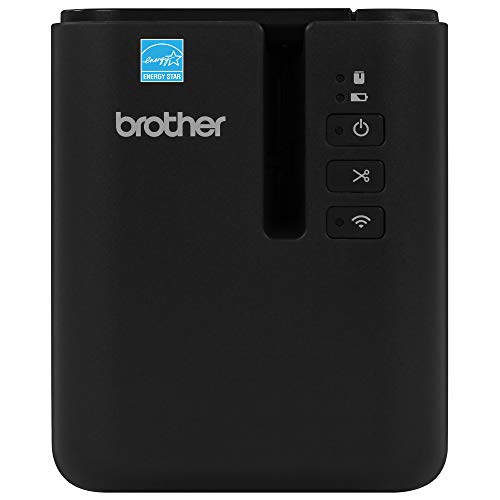
DURABILITY. Durable laminated labels up to 36mm wide. Labels work on a variety of surfaces and within many harsh and often dirty environments, resistant to chemicals, UV, abrasion and water.
Smart Bluetooth Monitoring for RV & Camping: Stay informed about your power wherever your journey takes you. Built-in Bluetooth 5.0 connects to your smartphone, allowing real-time monitoring of battery level, voltage, current, and temperature. Easily check power status from inside your RV, camper, or tent and receive instant alerts to help manage your off-grid power system with confidence
Portability and Power Considerations
Label makers aren’t just about fancy connectivity; they must be portable, too! For beginners, portability advantages are key. Look for compact, lightweight designs, like the Brother PT-N25BT, weighing just 20.5 ounces—perfect for on-the-go labeling. Some even fit snugly in planners or tool bags, making them trendy travel buddies.
Power efficiency matters, too. Many models use rechargeable lithium-ion batteries, easily charged via USB. This means less time searching for those pesky AA or AAA batteries. Longer battery life supports hours of uninterrupted labeling, which is a lifesaver during busy days. The SUPVAN E10’s rechargeable battery lasts an impressive month on a single charge, making it ideal for beginners who want minimal maintenance.
User Interface Features for Ease of Use
How can a user-friendly interface transform the labeling experience? It makes all the difference, especially for beginners! With intuitive navigation, anyone can dive right in. Features like easy-to-use buttons and clear displays help eliminate confusion. You wouldn’t want to wrestle with technology, right?
- Simple setup saves time.
- On-screen instructions guide your way.
- Error prevention reduces common slip-ups.
Usability testing reveals that user feedback is essential. It allows designers to refine features, making labels a breeze to create. Imagine customizable settings, various font options, and seamless Bluetooth connectivity—what a dream! Many modern label makers offer smartphone connectivity that allows you to print in different fonts and styles while built-in cutters enhance convenience for fast label creation. So, take a moment to explore the interface of your label maker. You’ll find it can turn a tedious task into a truly enjoyable experience! Happy labeling!
Memory Storage and Template Management
Transforming the labeling journey starts with a solid understanding of memory storage and template management. For beginners, memory capacity is essential. Basic models might only store a few labels—ideal for simple tasks—while mid-range options, like the Brother PT-N25BT, can remember up to 10. High-capacity models, with their impressive storage, make reprinting labels a breeze.
Custom templates are game-changers. Many label makers let users create and save personalized designs. Plus, having a variety of fonts and symbols not only makes labels unique but also helps in organization. Some apps even sync templates across devices. Advanced models like the SUPVAN E11 offer exceptional customization with support for 40 fonts and over 450 icons, giving beginners plenty of creative options. So, embrace the fun of exploring features—after all, who wouldn’t love a label that’s both practical and artsy? Happy labeling!
Editing and Formatting Tools for Beginners
After mastering memory storage and template management, beginners can appreciate the fun of editing and formatting tools. These features make label creation a breeze! Many label makers offer:
- Drag-and-Drop Interface: Arrange elements easily—no design degree required!
- Font Selection: Choose from various fonts—perfect for matching that trendy style.
- Alignment Tools: Keep designs neat, thanks to snap-to-grid options.
User feedback plays an essential role in shaping these tools, ensuring they meet current design trends. Beginners can also enjoy color palettes and text effects, from bold to italics. Need to upload an image? No problem! Resize and crop with ease. Just like with charging station organizers, look for adjustable slots or customizable features that let you tailor the layout to your specific needs. So, immerse yourself in the world of labels—where creativity meets fun! Happy labeling!
Cost of Label Tapes and Materials
Buying label tapes and materials is an adventure in itself—one filled with many choices! Prices can vary widely, so let’s talk numbers. Standard laminated tapes usually run between $10 and $20 per roll. Yes, you heard right! Specialty tapes, like heat shrink or iron-on versions, may cost more—think $20 to $30.
For budget-savvy shoppers, bulk purchases offer great price breaks—up to 30% savings! But remember, cost comparisons are essential. Online retailers often have better deals compared to brick-and-mortar stores. Prices vary based on brand, type, and even tape durability, with durable plastic typically costing more than flimsy paper.
Recommended Products

GIVE YOURSELF THE GIFT OF INVIGORATING SLEEP: A good night’s sleep is essential for a happier, healthier life. Natural wood bed frame helps regulate temperature and promote healthy airflow for a more supportive, comfortable, and restful sleep

Applications Include panel identification, voice/data identification, wire and cable marking

Applications Include communications cables, general identification, panel identification, voice/data identification
Pre-Loaded Libraries and Their Benefits
When it comes to labeling, exploring the world of pre-loaded libraries can feel like a walk in a candy store—exciting, but a little overwhelming! Pre-loaded templates offer a treasure trove of ready-to-use designs. They speed things up, cutting design time dramatically—because who has hours to waste?
Users can enjoy library customization, letting them pick and choose what suits their needs best.
Benefits include:
- Streamlined operations: Quickly access common labels.
- Reduced errors: Standardized templates mean fewer mistakes.
- Increased productivity: One-touch hot keys simplify repetitive tasks.
These features help maintain consistency and compliance. Pre-loaded libraries just might be your new best labeling buddy!
Specialty Features for Unique Labeling Needs
Many label makers come packed with unique specialty features designed to tackle diverse labeling challenges. These tools can make you feel like a pro, even if you’re just starting!
- Specialty fonts offer creative options to jazz up your labels.
- Color matching tools guarantee your labels look spot-on, especially for branding.
Imagine printing labels for your garden, with vibrant colors that actually match the flowers! Some devices even allow you to customize on-the-fly. Need to change text quickly? No problem!
Plus, there are pre-set templates for various label types, like cable wraps or signs. They streamline the process, making your labeling project effortless. With these features, you’ll conquer labeling tasks while having a little fun, too!
Durability and Industrial Applications
Label makers can do plenty of fun things, but when it comes to durability, they take things up a notch. These devices use durable materials like heavy-duty vinyl and polyester, ensuring labels withstand industrial hazards. Imagine labels that won’t peel or fade, even in harsh conditions like rain or extreme heat!
Here are features to take into account:
- Waterproof and UV-proof labels resist wear.
- Chemical-resistant options thrive in messy environments.
- Thermal transfer printing produces long-lasting images.
Whether you’re marking machinery in construction or organizing supplies in a warehouse, strong labels are essential. Plus, they often outlast the items they identify—talk about commitment! So, choose wisely and let your labels work as hard as you do!
Online Resources and Community Support
Steering through the world of label making can feel like diving into a sea of options—fun, but overwhelming! Luckily, online resources and communities exist to aid the journey. Websites like Avery.com provide excellent design resources with hundreds of customizable templates. For personalized help, online forums such as OnlineLabels.com allow users to share questions and tips.
Check out:
- Fiverr for freelance designers at every budget.
- 99designs to explore multiple design ideas.
- Google Groups for Labelmaker tips and tutorials.
Social media channels, like Instagram and Facebook groups, foster discussions on techniques and supplies. Engaging with these online communities can boost label-making confidence—just remember, everyone’s learning curve looks a little goofy sometimes!
Frequently Asked Questions
How Do I Maintain and Clean My Label Maker?
Maintaining a label maker involves regular cleaning. Essential cleaning tips include using isopropyl alcohol for the print head, clearing tape paths, and inspecting power supplies. Consistent label maker maintenance enhances performance and prolongs the device’s lifespan.
Can I Use Third-Party Label Cartridges With My Label Maker?
Third-party label cartridges may work with a label maker, but compatibility varies. Users should consider cartridge cost and guarantee proper model-specific matching to avoid performance issues or damage to the printer.
What Common Troubleshooting Steps Can I Take for Label Printing Issues?
To address label printing issues, one should verify label types, adjust print settings, check for jams, calibrate alignment, and clean components. Each step guarantees ideal performance and prevents common malfunctions in label printers.
Are There Any Safety Tips for Using Label Makers?
Label maker safety involves following user guidelines such as proper battery use, machine handling, and ensuring labels meet durability standards. Regular training and adherence to compliance regulations can help prevent accidents and maintain a safe workspace.
How Often Should I Replace the Print Head or Tape?
Print head maintenance should occur when performance degrades, indicated by faded output or streaks. Tape replacement, however, is needed only when rolls are depleted. Regular upkeep guarantees peak performance and longevity of both components.